There are no items in your cart
Add More
Add More
| Item Details | Price | ||
|---|---|---|---|
Tue Oct 13, 2026
You have completed your education, learned new skills, and started searching for a job. You find a vacancy that matches your interests, open the application form, and see the same requirement again: upload your resume.
For many freshers, this is where the confusion begins.
What should you write when you have no full-time experience? Which skills should you mention? Should you include every certificate? How long should the resume be? And how can you make it professional without spending money on an expensive template?
These are practical questions, and you do not need a complicated answer to solve them.
It should present your most relevant qualifications, skills, projects, and experience clearly and honestly, making it easier for a recruiter to decide whether to consider your application further.
A resume cannot guarantee an interview. Hiring decisions depend on many factors, including the position, competition, qualifications, and employer requirements. But a well-organized resume can make your application easier to evaluate.
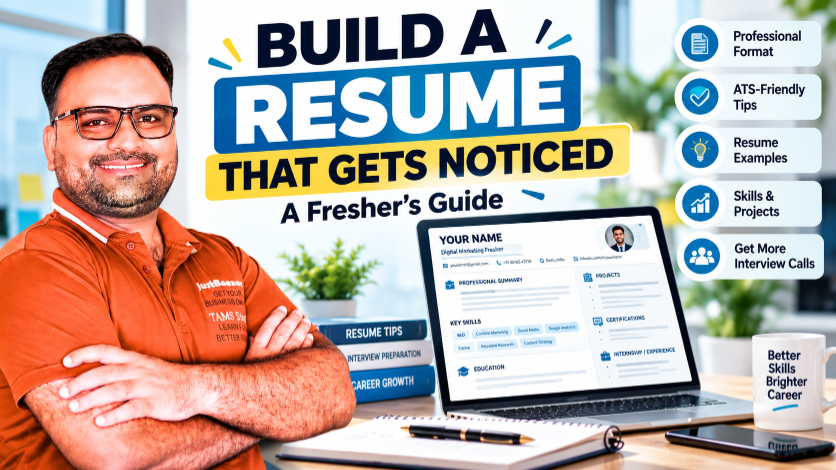
In this guide, I will explain how to build a professional resume from scratch, especially if you are a student, fresher, recent graduate, or career changer.
A resume is a concise document that summarizes your professional background for a particular opportunity.
It usually includes some combination of:
The exact sections depend on your experience and the position you are applying for.
A resume for an experienced finance professional may emphasize employment history and achievements. A fresher's resume may give more space to education, relevant projects, internships, and practical skills.
There is no single format that is ideal for every candidate. The goal is to choose a format that makes your strongest relevant information easy to find.
One of the most common resume mistakes is creating one generic document and sending it to every employer without reviewing the job description.
Different roles require different capabilities.
A digital marketing employer may look for SEO knowledge, content planning, campaign understanding, and analytics. A finance employer may prioritize Excel, financial analysis, reporting, and numerical accuracy.
Before writing your resume, identify:
Then compare those requirements with your actual background.
Include the relevant skills and evidence you genuinely possess. Do not add skills simply because they appear in the vacancy.
For most freshers, a simple, reverse-chronological resume is a practical starting point. It presents your most recent education or experience first within the relevant section.
Three common resume approaches are:
| Format | Best suited for |
|---|---|
| Reverse chronological | Candidates with internships or employment to list in date order |
| Skills-focused | Candidates whose relevant capabilities and projects need more emphasis, while still clearly showing education and work history |
| Hybrid | Candidates who want to highlight relevant skills while also presenting their experience chronologically |
For most entry-level applications, avoid complicated designs that make the information difficult to scan.
Use clear headings, consistent spacing, readable fonts, and straightforward formatting.
Your contact information should be easy to find at the top of the resume.
Include:
You usually do not need to include your full residential address, identification numbers, bank details, or other unnecessary personal information.
Do not include sensitive details unless a legitimate application process specifically requires them through an appropriate channel.
An email address based on your name is generally a good choice.
Avoid usernames that look unprofessional or are difficult to communicate over the phone.
Before applying, check that your email address and phone number are correct.
A professional summary or career objective is a short introduction near the top of your resume.
It should quickly explain your background, relevant capabilities, and professional direction.
For freshers, an objective can be useful when it adds relevant information. A summary may be better when you already have meaningful projects, internships, or experience to highlight.
Professional Summary
MBA graduate with developing skills in digital marketing, SEO, content planning, and social media management. Interested in applying practical knowledge to support online visibility, content performance, and marketing objectives while learning within a professional team.
Career Objective
Recent graduate seeking an entry-level opportunity in finance or financial operations. Interested in applying knowledge of business fundamentals, spreadsheet analysis, and reporting while developing practical industry experience.
Adapt the examples to your actual education and abilities. Do not call yourself an MBA graduate if you have not completed the degree, and do not claim technical expertise you cannot demonstrate.
Education is often particularly important for freshers.
Include your qualification, institution, and completion year or expected completion date.
You can also include relevant academic achievements when they support your application.
Example format
Master of Business Administration (MBA)
Institution Name | Expected completion: 2026
Bachelor's Degree
Institution Name | Completed: 2024
These are illustrative examples. Replace them with your actual qualifications and dates.
If your final result is pending, state your current status accurately. Do not describe a degree as completed until it has been awarded or completed according to the institution's requirements.
For candidates with substantial professional experience, the education section may be shorter. For freshers, it can appear near the top of the resume.
A resume becomes less effective when its skills section contains a long list of unrelated words.
Instead, organize skills around the requirements of your target role.
Only include skills you can explain in an interview.
If you have basic familiarity with a tool, describe your proficiency accurately rather than presenting yourself as an advanced user.
If you do not have formal work experience, projects can provide useful evidence of your abilities.
Projects may come from academic assignments, internships, personal learning, volunteer work, or independent practice.
The important point is to explain what you actually did.
Website SEO Audit — Independent Practice Project
Include this only if you completed these activities.
Sales Data Analysis — Academic Project
For each project, consider including the title, purpose, your contribution, relevant tools, and a genuine outcome or learning point.
Do not invent client names, project results, revenue increases, or performance figures.
For more help, read the CBS guide on building a career portfolio without work experience.
If you have work experience, avoid listing only your job title and employer name.
Describe your responsibilities and contributions using specific, straightforward language.
A useful structure is:
Action + Task + Context or Outcome
For example, instead of writing:
“Responsible for social media.”
You might write:
“Prepared a weekly social media content calendar and coordinated the creation of posts for the brand's target audience.”
Use this wording only if it accurately describes your work.
Where appropriate, mention the tools you used, the scale of the task, or a measurable result you can substantiate.
Keep bullet points concise and prioritize the responsibilities most relevant to the vacancy.
Certifications can help demonstrate structured learning in a particular area.
They may be especially useful when you are beginning your career or moving into a new field.
Include the certification name, issuing organization, and completion date when relevant.
Prioritize credentials related to your target role.
For example, a digital marketing candidate may list a relevant SEO or analytics certification, while a finance candidate may include appropriate spreadsheet or financial-analysis training.
Avoid filling the resume with unrelated short courses simply to make it longer.
Remember that a certification complements your skills; it does not replace practical evidence of what you can do.
Many employers use applicant tracking systems (ATS) to organize applications and support recruitment workflows. The exact system and screening process vary by employer.
A straightforward resume can make your information easier for both software and people to process.
Practical guidelines include:
Do not assume that every ATS works the same way or that a resume can guarantee a particular score.
The aim is to make your relevant qualifications easy to identify and understand.
A resume should look professional without distracting from the information.
Use:
For most freshers, one page is a reasonable target if it allows you to present relevant information clearly. Two pages may be appropriate when you have enough relevant experience, projects, or qualifications to justify the additional space.
Do not shrink the text excessively just to fit everything onto one page.
Likewise, do not add irrelevant details simply to fill empty space.
Review the job description and adjust the emphasis of your resume where appropriate.
Keep the document focused on your professional suitability. Include personal information only when it is relevant or legitimately required.
Do not invent achievements, certifications, responsibilities, or numerical results.
Use concise descriptions and bullet points to make relevant information easier to scan.
Prioritize skills that connect directly to the role.
Proofread the resume carefully. Errors can distract from otherwise useful information.
Use a clear file name, such as FirstName_LastName_Resume.pdf, when the employer requests a PDF and does not specify another naming format.
Before submitting an application, use this checklist.
Ask a trusted person to review your resume if possible. A second reader may notice errors or unclear descriptions that you missed.
Select the role you want to pursue and review several relevant job descriptions.
Collect your education details, skills, experience, certifications, and relevant projects.
Prepare the summary, education section, skills, and relevant experience or projects.
Replace vague descriptions with clear explanations of your responsibilities, skills, and contributions.
Use a clean layout, consistent headings, readable fonts, and appropriate spacing.
Compare your resume with the job description and emphasize relevant, genuine qualifications.
Review the final document, check the links and file format, and submit it according to the employer's instructions.
A professional resume does not need to be complicated or expensive.
It needs to be clear, relevant, accurate, and easy to read.
If you are a fresher, do not assume that you have nothing to offer simply because you lack full-time experience. Your education, projects, internships, practical skills, and willingness to learn may all be relevant when presented honestly.
If you already have experience, focus on explaining your responsibilities and contributions in a way that matches the role you want.
Keep improving your skills, build evidence of your work, and tailor your applications thoughtfully.
Your resume opens the conversation. Your skills, experience, and interview performance help you move it forward.
Explore Career Building School's learning resources to continue developing practical digital and professional skills that you can apply to projects, portfolios, and career opportunities.
Explore Career Building SchoolStart with your contact information, a relevant summary or objective, education, skills, projects, internships, and certifications where applicable. Focus on the information most relevant to your target role.
One page is a reasonable target for many freshers if it allows you to present relevant information clearly. Use additional space only when your qualifications and relevant experience justify it.
You can highlight education, academic projects, personal projects, internships, volunteering, relevant certifications, and practical skills. Describe your contribution honestly.
An ATS-friendly resume uses clear text, standard headings, readable formatting, and relevant terminology. Employers use different systems and screening processes, so no single format guarantees selection.
Follow the employer's instructions and the conventions of the country and industry where you are applying. If a photograph is not requested, a resume without one is often a practical choice.
Include accurate academic results when relevant to the role or requested by the employer. If a result is pending, state that status clearly rather than reporting an unconfirmed result.
Yes. A free template can be a useful starting point. Choose one that is readable, simple, and easy to edit, and make sure the exported file preserves the correct text and layout.
Update it when you gain relevant experience, complete a project, develop a useful skill, earn a certification, or change your career direction. Tailor it for each relevant application.
No. Prioritize skills that are relevant to the role and that you can explain or demonstrate. A shorter, accurate list is generally more useful than a long list of unrelated skills.
No. A well-prepared resume can communicate your suitability more clearly, but interview decisions depend on employer requirements, competition, qualifications, experience, and other factors.
Keep your resume honest, focused, and relevant—and keep building the skills behind it.
 Launch your Graphy